
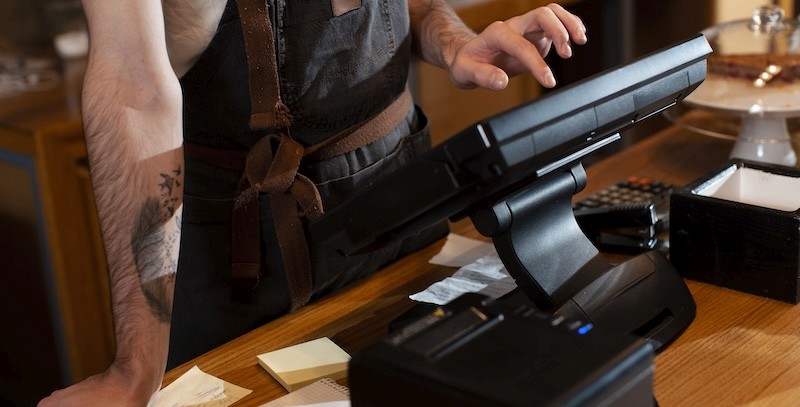
Shopping for a POS system? Plenty of options! It's easy to get caught up in feature lists and pricing tiers. But before any of that matters, you need to understand the main types of POS systems and what differences there might be.
There are different ways to look at POS systems. They can be grouped by how they are built, how they are hosted, what they run on, how much they can be customized, and whether they are designed for specific industries or used across many. These are often referred to as different restaurant software types, POS deployment models, and broader POS system categories depending on how you break them down.
Getting clear on these layers helps you avoid the expensive mistake of choosing a system that looks great in a demo but falls apart during a restaurant service.
POS System Types by Architecture
Architecture is the foundation layer. It determines where your POS software lives, how it processes transactions, and how dependent it is on external connectivity. Every other decision you make about a POS system sits on top of this one.
Cloud-Based POS Systems
Cloud-based POS systems run entirely through the internet. The software sits on remote servers, and your terminals access it through a web browser or a lightweight app. Google Docs versus Microsoft Word installed on your desktop is a decent analogy.
What pulls people toward cloud POS:
Low upfront cost. Most run on a monthly subscription.
Fast setup. Some operators get running within a day.
Access from anywhere with a connection.
Automatic updates happen on the vendor's end.
The downside is real, though. Cloud systems live and die by your internet connection. Wi-Fi drops during a Saturday night rush, and you could lose the ability to process orders or payments entirely. Some platforms offer a limited offline mode, but it's usually stripped down to basic functions and queues everything until you're back online.
Then there's the control issue. With a pure cloud system, you're renting access to software on someone else's servers. Vendor has an outage? You wait. For any restaurant that can't afford downtime during peak hours, that dependency is a genuine risk.
On-Premise POS Systems
On-premise systems, also known as legacy or traditional POS, run on local hardware at your location. The software runs on a server you own, and all data stays on-site. This was the standard for decades, and plenty of established restaurants still run some version of it.
The biggest draw is independence. Your POS doesn't care what your internet is doing. Orders fire, tickets print, and payments go through.
Where legacy systems fall short:
Significant upfront hardware and installation costs.
Updates and fixes usually mean calling someone to come on-site.
Little to no remote access to your data without bolting on extras.
Opening a second location means building it from scratch.
Traditional systems also struggle with modern integrations. Most were designed before third-party delivery, online ordering, and cloud accounting became everyday tools. Getting them to adopt newer platforms often requires workarounds or expensive custom development.
A restaurant that's had the same legacy system running for 12 years might have zero complaints. If it works, it works. But the moment you need consolidated reporting across locations or want to push menu updates remotely, that older architecture starts showing its limits.
Hybrid POS Systems
Hybrid POS combines local processing with cloud connectivity. The core software runs on hardware in your building, so daily operations don't depend on the internet. But it also connects to the cloud to sync data, pull reports remotely, and integrate with external platforms.
During service, everything runs locally. Tickets fire, payments process, and your floor plan updates in real time. When connectivity is available, data syncs so you can check reports from home, adjust settings remotely, or push changes across multiple locations.
Where hybrid really separates itself is in how much room it gives you to shape the system around your operation. Because the software runs locally, there's more flexibility to configure workflows, adjust order routing, and customize the interface to match how your team works.
Other Ways POS Systems Differ
Architecture tells you where the software runs. But within each architectural type, POS systems vary in ways that directly affect your daily operation. Think of these as the layers that sit on top of architecture, each one narrowing down what a system actually feels like to use.
Types of POS Software Deployment
This layer is about who controls the environment your POS runs in, and it's directly tied to the architecture you choose.
Cloud-based systems are almost always vendor-hosted. The POS company manages the servers, the updates, the security, everything. You're a tenant. That simplifies your life on the technical side, but it also means you're subject to their uptime, their maintenance schedule, and their decisions about how the platform evolves. If they have a bad day, your service takes the hit.
On-premise systems flip this completely. They're self-hosted by nature. You own the server, you manage the data, you handle maintenance. Full control, but it demands technical know-how and ongoing attention.
Hybrid systems can go either direction depending on the provider. The local component is self-managed, but the cloud side may be vendor-hosted. This is worth clarifying before you commit, because it determines how much independence you have versus how much you're still relying on someone else's infrastructure.
The question that cuts through the noise: if your vendor goes down tomorrow, can you still run tonight's service?
Device and Interface Types
Beyond architecture, POS systems are often categorized by the hardware they run on. Each type comes with its own operational profile within broader POS system categories.
Terminal-based POS systems use large, fixed screens, the kind you see bolted to a host stand or mounted behind the bar. Commercial-grade hardware built to take a beating and last for years. These are still the backbone of most full-service restaurants. Fast, reliable, and nobody worries about battery life or cracked screens mid-shift.
Tablet-based systems run on consumer devices like iPads or Android tablets. They brought the entry cost way down and made setup simple. An iPad, a stand, a card reader, and you're running. For a small café or a food truck, that can be the right fit. The trade-off is longevity. Consumer tablets weren't designed to live next to a fryer or get tapped by greasy hands hundreds of times a day.
Mobile POS runs on handheld devices that let staff take orders and process payments anywhere on the floor. Some are purpose-built handhelds, others are tablets in rugged cases. The idea is the same: keep servers at the table instead of walking back and forth to a fixed station. In busy full-service environments, that alone can shave real time off table turns.
Self-service kiosks are guest-facing screens where customers order and pay without staff involvement. Mostly showing up in fast-casual and QSR where high traffic and straightforward menus make self-ordering practical. Not every concept needs one, but for the right operation, they move the line and free up counter staff.
Many restaurants run a mix. Terminals at the bar, handhelds on the dining floor, a kiosk near the entrance. That works as long as the software runs consistently across all of them. A system that feels snappy on one device and sluggish on another creates uneven service, and guests notice even when they can't pinpoint why.
Industry-Specific vs. General-Purpose
A general-purpose POS is built to serve multiple industries from a single platform. Payments, basic inventory, sales reporting, and the fundamentals that any business needs. For retail shops, salons, or service-based businesses where transactions are simple and workflows are linear, that's usually enough.
Restaurants don't operate that way. A single table might involve timed coursing, modifiers across multiple items, a four-way split check, station-specific kitchen routing, allergy flags, and tip calculation. General-purpose systems can process the sale, but they weren't designed to manage that kind of operational flow.
The result is workarounds that feel minor during a slow lunch and snowball into real problems during a packed Friday dinner. Most serious operators end up on a POS software designed for restaurants and hospitality. Not because general POS can't technically work, but because its limitations start costing more than the savings.
Features and Operational Functionality
Restaurant POS platforms are built around service flow, not just transactions. Feature depth varies across platforms, but most organize around three operational areas:
Service Flow: Table and floor plan management, seat-level ordering, split checks, modifiers, coursing control, and kitchen station routing.
Back-of-House Operations: Inventory tied to recipes and food cost tracking, employee scheduling, labor cost analysis, and sales reporting by daypart, server, or location.
Guest-Facing Tools: Online ordering, QR code menus, delivery coordination, loyalty programs, and real-time order status tracking.
Some systems cover the basics across each category. Others go deep with advanced functionality and granular reporting. The real differentiator is customization. Can you control how orders route to specific stations? Shape the interface around your team's workflow? Build menu logic that matches your service style? Systems that offer that flexibility tend to perform better in complex, high-volume environments because staff work with the software instead of around it.
How to Choose the Right POS Type
Now that the layers are clear, here's how they map to real decisions.
Factor | Cloud POS | Legacy/On-Premise | Hybrid POS |
Upfront cost | Low | High | Moderate to high |
Internet dependency | Full | None | None during operation |
Remote access | Built-in | Limited or none | Yes, via cloud sync |
Customization | Standardized | High, but rigid | High and adaptable |
Scalability | Easy to add locations | Requires full replication | Scales with centralized tools |
Integrations | Broad, vendor-dependent | Often limited | Broad, with local control |
Strongest fit | Low-volume, simple setups | Established single locations | High-volume, complex, or growing operations |
What the table can't capture is context. A beachside restaurant with unreliable internet on a cloud-only system is a crisis waiting for a busy night. A food truck owner who just needs to check sales from their phone probably doesn't need local server infrastructure. A growing multi-location brand needs centralized control that a standalone legacy system can't provide.
For restaurant operators, three factors tend to outweigh everything else: operational continuity when connectivity is unreliable, flexibility to match complex service workflows, and native features built for how restaurants run rather than a patchwork of bolt-ons. If those are your priorities, a hybrid POS like Blogic Systems is worth serious consideration.
Blogic Systems provides consistent performance regardless of internet conditions, while cloud connectivity handles data access, remote management, and integrations with delivery platforms and accounting tools. It also includes a full set of features designed to support restaurant workflows from order handling to reporting.
Whatever direction you go, map out the total cost over 24 months. Hardware, processing fees, add-on charges, support tiers, and training labor. That full picture tells you what you're paying, not the number on the pricing page.
The POS you pick touches every part of your restaurant, from how fast tables turn to how clean your numbers look at close. Spend the time understanding not just what a system does, but how its layers fit together and whether that foundation matches the way your operation runs day to day.

Erick Tu
Author
Related Articles

Aug 7, 2026
Bakery POS System Features: What to Look For Based on Your Bakery Type
May 8, 2026
Switching Restaurant POS System
May 1, 2026
How Much Does a POS System Cost for a Restaurant

Apr 27, 2026
Restaurant Workflow Automation: What to Automate First (and Why Most Operators Get It Wrong)
