

Most restaurant POS features articles read like spec sheets. They list 20 to 40 capabilities in bullet form, explain each in a sentence, and leave you with no clearer picture of what matters for your specific operation than when you started.
This guide takes a different approach. The features below are grouped by what they do for your business, not just what they are. Each section explains what to look for, what separates strong implementations from weak ones, and what questions to ask before you sign anything.
What "Features" Mean in a Restaurant POS
There's a distinction worth making upfront. A restaurant POS has two kinds of features: core operations capabilities and business intelligence tools. The first group keeps your service running. The second helps you make better decisions. Most operators spend more time evaluating the first and underestimate how much the second category affects profitability over time.
Both matter. Neither is optional for a serious operation.
Order Management: Where Service Speed Is Won or Lost
Order management is the most exercised part of any POS, yet the evaluation criteria most operators use are too shallow. "Can it take orders?" is the wrong question. The right question is: how does it behave when three servers are firing tickets simultaneously on a Saturday night?
What to look for:
Touchscreen order entry should be fast and forgiving. Modifiers (extra cheese, no onion, sauce on the side) need to be accessible in one or two taps, not buried in submenus. Coursing support matters for full-service: the ability to hold appetizers, fire mains at the right time, and flag courses separately to the kitchen keeps timing consistent.
Kitchen ticket routing is where order management either pays off or breaks down. A strong system routes items to the correct prep station automatically (salads to the cold station, proteins to the grill) based on item category, not manual server input. This removes a class of errors entirely.
The KDS question. A kitchen display system replaces printed tickets with a screen at each station. It reduces lost tickets, speeds up bump times, and gives managers visibility into order age in real time. Whether your POS integrates with its own KDS or supports third-party displays affects your flexibility if you need to change vendors later.
Watch for this limitation. Some systems lock order modification after a ticket fires to the kitchen. If a guest changes their order mid-course, the server needs a manager override. That friction adds up across a full service period. Ask specifically what happens when a guest modifies an order after it has been sent.
Table and Floor Management
For full-service restaurants, the floor plan is the operating map of your service. A strong table and floor management module reflects your actual dining room layout rather than forcing staff to mentally translate between the screen and the floor.
The baseline: a customizable floor plan with drag-and-drop table placement, real-time status indicators (seated, ordered, waiting for check), and cover counts per table. Most modern systems offer this.
What separates good implementations from adequate ones:
Reservation and waitlist integration. Does the table management module connect to your reservation system, or do hosts manage two separate screens? When a walk-in party is seated at a table that has a reservation in 45 minutes, does the system flag that? These workflow details matter at volume.
Table transfers and merges. Parties get up and move. Tables get pushed together for larger groups. The POS needs to handle transferred checks and merged tables without requiring items to be re-entered.
Server section assignments. If a server calls out, managers need to redistribute tables without manually reassigning each check. This sounds minor until you're doing it during the dinner rush.
Inventory Management: More Than Stock Counts
Inventory tracking in a restaurant POS exists on a spectrum. At the low end, it counts stock by item (bottles of wine, cases of fries). At the high end, it tracks inventory at the ingredient level, deducting from raw stock as menu items are sold.
The high end is where food cost control actually lives. If your POS knows that one order of the burger uses 6oz of ground beef, two slices of cheese, and one brioche bun, it can calculate your theoretical food cost against actual usage and surface the variance. That variance is where waste, theft, and over-portioning hide.
Key capabilities to verify:
Real-time inventory deduction as items are sold, not just at the end of the day. Automated low-stock alerts set per item. Supplier management with purchase order generation. Variance reporting that compares theoretical vs. actual usage. These features exist in most mid-tier and above systems, but the configuration depth varies considerably.
A practical note on inventory and menu engineering. POS inventory data combined with sales data lets you identify which items are high-margin and high-volume (keep), high-margin and low-volume (promote), low-margin and high-volume (reprice or reposition), and low-margin and low-volume (cut). That four-quadrant analysis is something your POS data should be making easy, not something you're doing in spreadsheets after hours.
Payment Processing and Checkout Flexibility
Payment processing gets evaluated on fee structures and card network support, which matters, but the operational side of checkout deserves equal attention.
Split check handling is the most operationally loaded payment feature in full-service dining. The methods your POS supports (split evenly, split by item, split by seat, custom amount) and how many steps each one takes during a rush directly affect table turn time. See our complete guide to how restaurant POS systems handle split checks.
Mixed payment methods. Can one accept a gift card for part of the amount and a credit card for the remainder? Can a partial cash payment be followed by a card swipe? These scenarios happen regularly, and a POS that handles them clumsily creates checkout delays.
Pay-at-table and mobile payments. With the majority of diners now expecting contactless payment options, handheld terminals or QR-based checkout have moved from nice-to-have to expected. The efficiency gain is real: pay-at-table reduces the server trips required to close a check from three (present check, collect payment, return change/receipt) to one.
Processor flexibility. Some POS vendors lock you into their payment processing. Others let you bring your own processor. That lock-in affects your negotiating position on rates as your volume grows. It's worth understanding before you commit.
Reporting and Analytics: The Layer Most Operators Underuse
Every POS vendor leads with reporting and analytics. Almost every operator underuses it. The default dashboards tend to show top-line sales figures, which are useful but incomplete. The more valuable analysis lives deeper.
Sales reporting that earns its keep:
Hourly and day-part sales to identify your actual peak windows (not just "lunch" and "dinner" but specific 30-minute intervals)
Menu item performance by cover count, revenue, and margin
Void and comp analysis by the server, which surfaces training issues and potential loss
Net sales vs. gross sales with a clear breakdown of discounts, comps, and refunds
Labor reporting. Your POS has clock-in data. A system that correlates labor hours against covers served and revenue generated gives you your labor cost per cover, which is the metric that tells you whether you're overstaffed, understaffed, or just right for any given shift pattern.
The cloud access question. Can you pull reports from your phone at 10 pm, or do you have to be on-site at the terminal? For multi-location operators and owners who aren't always on the floor, cloud-based reporting access isn't a luxury.
Menu Management
Menu management touches your operation constantly. Seasonal updates, 86'd items, LTO pricing, happy hour windows, and allergy modifications. The less friction in making those changes, the more responsive your operation can be.
Evaluate these specifically:
Real-time menu updates that push to all terminals simultaneously, not just the one you're editing on. Time-based pricing (happy hour rates, weekend brunch pricing) that activate and deactivate automatically. The ability to 86 an item instantly from the POS so servers stop selling something the kitchen can't deliver. Modifier management that supports required and optional add-ons with correct pricing logic.
For operations running multiple sites, multi-location management from one dashboard is essential. Updating a price change across 12 locations should be one action, not 12.
Employee Management
Most POS systems include basic staff management. What varies is the depth.
The baseline is role-based access permissions (servers can't issue comps, managers can) and clock-in/clock-out tracking. Beyond that, the useful features include: tip pooling or distribution calculations, employee scheduling, performance tracking by server (sales per hour, average check, upsell rate), and integration with payroll providers.
One underappreciated feature is the training mode or demo mode. New staff need to practice order workflows without affecting live data or sending tickets to the kitchen. Not all systems offer this, and the ones that don't create a higher onboarding risk.
Integrations
A POS doesn't operate in isolation. The integration ecosystem determines how much of your operation you can manage from one place and how much still requires manual data entry between disconnected systems.
The integrations that matter most for most restaurants:
Online ordering platforms (direct and third-party delivery). Accounting software. Reservation systems. Loyalty and CRM tools. Labor scheduling platforms. Kitchen display systems.
The question isn't just whether the integrations exist but how deep they run. A shallow integration might push order totals to your accounting software but not line items. A deep one posts every transaction with the correct GL codes automatically. The former still leaves manual reconciliation work; the latter eliminates it.
Open API availability matters if you're running custom workflows or have specific third-party tools you won't give up. Systems with open APIs give your developers or technology partner the ability to build what isn't natively available.
Offline Functionality
Cloud-based POS systems have significant advantages in data access, updates, and multi-location management. They also have one structural vulnerability: internet dependency.
A POS that stops functioning during a connectivity drop stops your entire service. Before signing with any cloud-based system, test the offline mode explicitly. What can staff do when the connection drops? Can they take orders, process card payments, and close checks? Or does the system freeze?
A hybrid POS architecture stores a local copy of the system that operates independently during outages, then syncs when connectivity resumes. For restaurants in older buildings, outdoor venues, high-traffic areas where cellular networks are congested, or any operation where internet reliability is inconsistent, this is a functional requirement, not a bonus.
What the Feature List Doesn't Tell You
Every POS vendor can produce a feature comparison table that shows checkmarks across the board. What it won't show you is:
Implementation depth. A system that technically supports inventory management at the ingredient level but requires two hours of configuration per menu item isn't the same as one that makes it straightforward. Ask how long typical menu builds take and whether the vendor or you is responsible for initial setup.
The answer to that second question separates companies selling software from those that treat setup as part of the service. With Blogic Systems, menu builds, hardware installation, and staff training are all handled by a dedicated specialist, not offloaded to a self-serve portal. It's a distinction that shows up consistently in how customers describe their onboarding experience.
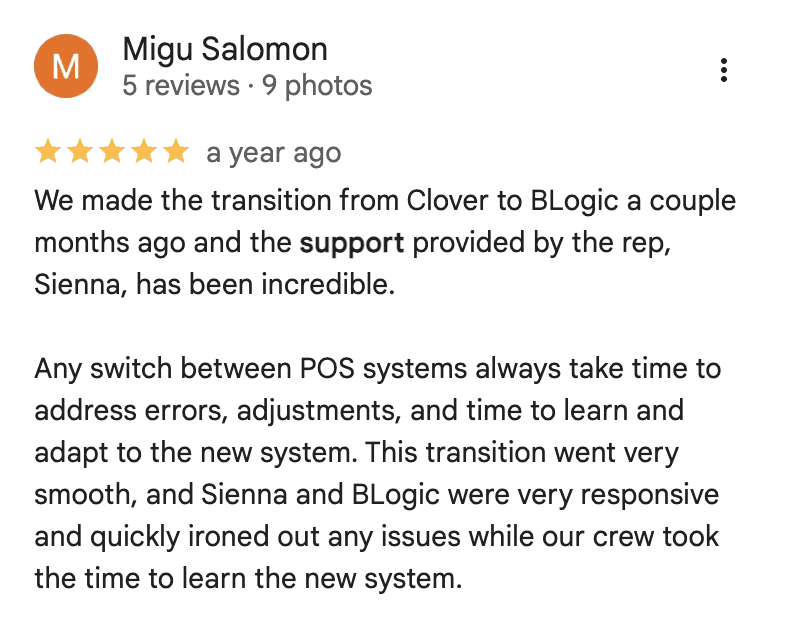
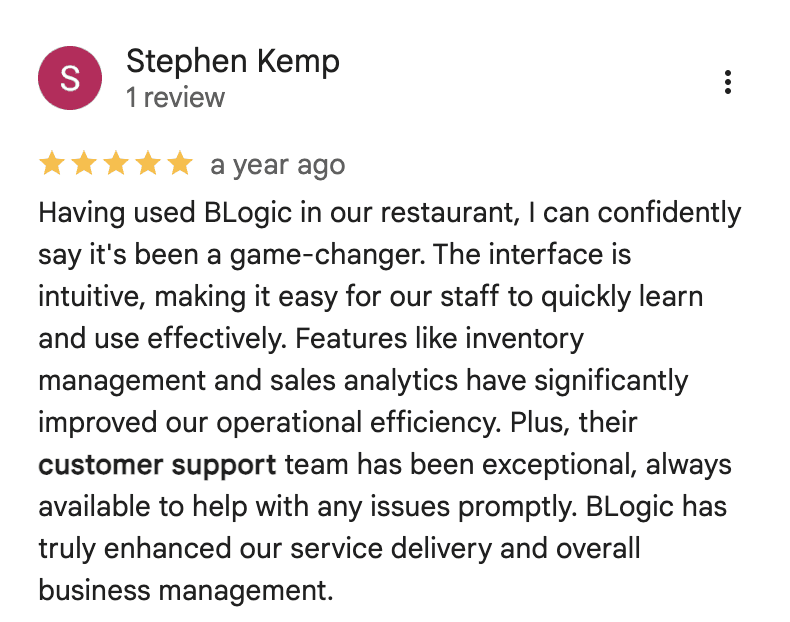
Support quality when something breaks at 7 pm on a Saturday. This is the most important non-feature to evaluate. Ask specifically about after-hours support, average response time, and whether you get a dedicated account contact or a shared support queue.
Hardware lock-in. Proprietary hardware means a POS change later also means a hardware swap. Systems that run on standard iPad or Android hardware give you flexibility in both directions.
Pricing structure under load. Some vendors charge per terminal, some per location, some per feature module. As your operation grows, understand exactly what each additional terminal, location, or feature add-on will cost.
A Practical Evaluation Framework
When you're comparing systems, don't evaluate features from a slide deck. Run the following scenarios in a live demo:
A server takes a table of six with modified orders, fires the ticket to the kitchen, then a guest changes one item mid-order
Four guests at the table want to split the check: two together, two individually, one paying cash
A manager 86s an item and updates a price on one menu category
You run end-of-day reports and pull labor cost per cover for the last two weeks
The internet goes down. What can the system do?
How the demo handles those five scenarios tells you more than any feature matrix.
Blogic Systems restaurant and bar POS is built for operations of all types, from quick service and food trucks to full-service dining and multi-concept venues, with the feature depth to handle complex service workflows without the implementation complexity that typically comes with enterprise POS platforms. The system covers all the capabilities outlined in this guide, including a hybrid offline/online architecture for continuous operation regardless of connectivity.
Book a free demo to walk through how it handles your specific restaurant type and service model.

Erick Tu
Author
Related Articles

Aug 7, 2026
Bakery POS System Features: What to Look For Based on Your Bakery Type

May 8, 2026
Switching Restaurant POS System
May 1, 2026
How Much Does a POS System Cost for a Restaurant

Apr 27, 2026
Restaurant Workflow Automation: What to Automate First (and Why Most Operators Get It Wrong)
