
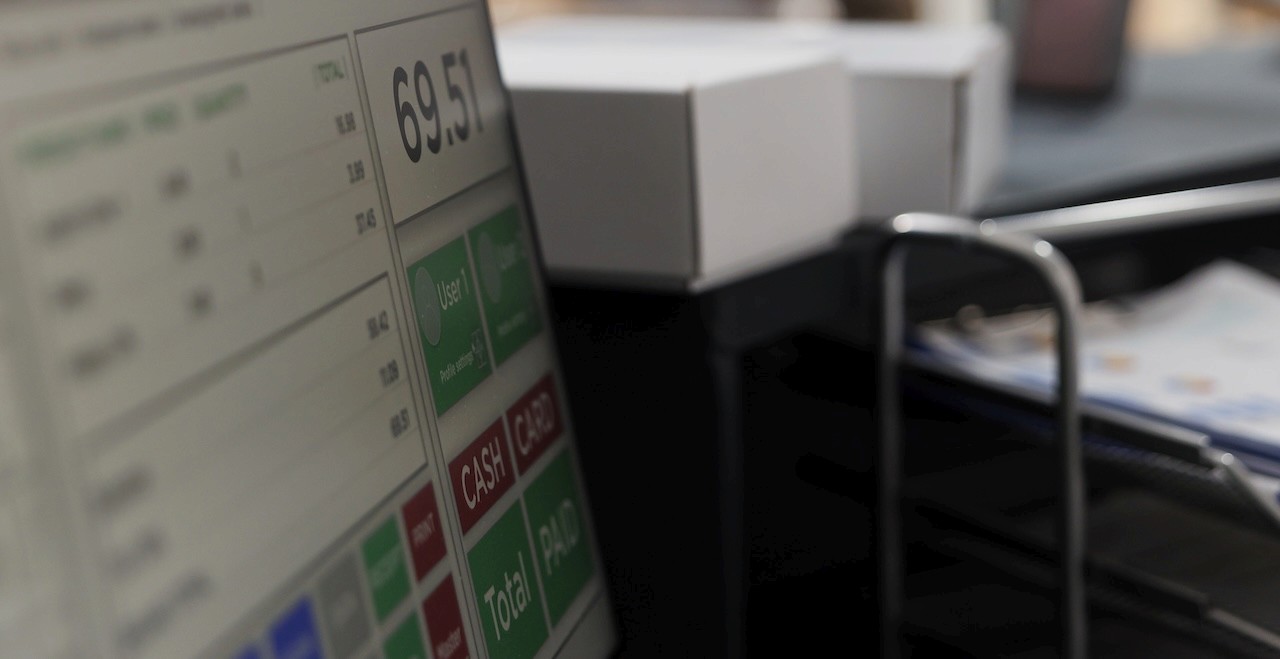
Which items sell best? When do you need the most staff? Are you losing money on certain dishes? The answers to your questions are all hiding in your POS system.
It's not just a tool for ringing up sales. Every time a customer orders something or pays, your POS records it. But raw numbers won't tell you anything. You need reports to get your answers.
By turning that raw data into organized reports, you can see the whole picture and make smarter choices about everything from pricing to scheduling.
In this guide, you will learn what these reports show, what data feeds them, and how to read them without getting lost.
POS Data vs. POS Reports vs. POS Analytics
These three terms sound similar, but they are not the same. Let’s define each one.
POS Data is the raw information your system collects. If you exported all your POS data to a spreadsheet, it would be thousands of rows of transaction details.
POS Reports are summaries of that data, organized by time period or category. They group things together so you can see patterns. A sales report shows you total revenue by day. A labor report totals hours per employee. Reports answer basic questions like "How much did I sell today?" or "Which items are popular?"
POS Analytics compares data, finds patterns, and predicts trends. For example, analytics might show that when you run a discount on appetizers (from your sales data), your average ticket size actually goes up (linking sales to transaction data), and customer visits increase (linking to frequency data).
You need all three working together:
Data gives you the facts
Reports make those facts understandable
Analytics help you act on what you learn
A system like BLogic’s POS makes this easier by pulling data into reports automatically, so you don't have to dig through spreadsheets.
Types of Data Collected by Restaurant POS Systems
Your POS Data covers several groups. Each plays a part in tracking a restaurant’s operations from the front counter to the kitchen.
Sales and Transaction Data
This includes item prices, total revenue, check counts, average check size, refunds, comps, voids, and discounts. It helps managers see money flow. They can trace which days, shifts, and menu items bring the most sales.
Menu Items and Modifiers
This section covers recipes and all changes customers request. It shows add-ons, extras, swaps, and kitchen instructions. With this, you can spot which dishes are profitable and which ones may be dragging your margins down.
Labor and Staff Activity
This covers employee clock-in and clock-out times, shift length, staff role, cash drawer openings and closings, and more. Labor data is critical because payroll is usually one of your highest costs.
Inventory and Stock Usage
This includes stock levels, unit counts, cost of goods, waste, spoilage, and restock alerts. When you see how much inventory actually gets used and what you ordered, you can spot waste and even theft.
Customer Behavior and Order Channels
This part tracks which ordering channels customers use. With this information, you can understand how customers interact with your business and where they're coming from.
Core POS Data Metrics to Track
Your restaurant analytics software tracks dozens of numbers, but some matter more than others. Here are some key metrics:
Metric | What it Measures | Why it Matters | How You Use It |
Total Revenue | All money coming in from sales | Shows if you're hitting financial goals | Compare to targets, track growth, spot slow periods |
Average Transaction Value | Total sales divided by the number of transactions | Shows customer spending patterns | Identify opportunities to increase order size through upsells |
Food Cost % | Cost of ingredients divided by food sales | Shows profitability in what you're making | Keep it between 28-35%; adjust pricing or portions if it's too high |
Labor Cost % | Total wages divided by sales | Shows if staffing is efficient | Target 25-35% depending on your concept; track weekly |
Best-Selling Items | Menu items with the highest sales count | Shows customer preferences | Feature these on your menu, and make sure you never run out |
Low-Performing Items | Menu items with the lowest sales | Shows what customers don't want | Reprice, reposition, or remove from the menu |
Peak Hours | Times when you're busiest | Shows when to staff up or run promotions | Schedule more staff during peaks, cross-train for slow periods |
Slow Periods | Times when sales drop significantly | Shows when you could reduce costs | Run happy hour specials or reduce staff temporarily |
Inventory Turnover | How fast you use ingredients | Shows freshness and prevents waste | Higher turnover is better; adjust ordering if turnover is low |
Customer Count | Total number of transactions | Shows foot traffic trends | Identify when promotions work, when weather or events impact traffic |
What Restaurant POS Reports Show
Your POS system is always working in the background. It records info about every sale, employee shift, and every menu item ordered. POS reports take all that info and organize it into summaries.
POS data is like a massive pile of receipts scattered on your desk. POS reports stack them up, sort them, and show you the totals. Instead of looking at 500 individual transactions, a sales report shows you your total sales for the day, broken down by category or time period.
You can get different useful reports. Some reports will show simple totals, such as total revenue. Others get more detailed, breaking down sales by menu item, staff member, or hour of the day.
The best reports answer specific questions:
Is your labor schedule efficient?
Are you over or under on inventory?
How much money did you make today?
A good restaurant POS system makes these reports easy to pull up whenever you need them. And, you don’t need a business degree to understand them.
Key Restaurant POS Reports You Should Review
Checking some reports should be part of your daily routine. Others should be checked weekly or monthly. Here are the ones that matter most.
Sales Reports
Sales reports are your bread and butter. They show you total revenue, broken down however you want to view it. You can view sales by date, hour, menu category, payment method, or staff member.
Check them to spot trends, measure performance, and notice when something's off. If Wednesday sales are always lower than Thursday, you might adjust staffing or run a promotion.
Labor Reports
These show how much you spent on payroll for a given period and break it down by shift, employee, or department. You can see labor as a percentage of sales. This helps you stay within your target budgets.
Labor is usually your second-biggest expense after food cost. Even a small improvement here adds up fast. If your labor costs are creeping above 30% of sales, this report will catch it.
Menu Performance Reports
Also called category reports or item sales reports, these break down exactly which menu items sold and how much revenue they generated. You see the count (how many sold) and the revenue (how much they generated).
Check it to spot your money makers. If a dish costs a lot to make but barely sells, you might lower the price, improve the recipe, or remove it from the menu. If something's flying off the shelves, consider featuring it more to sell more.
Inventory Reports
These show what you have, what you used, and what you need to order. Some systems flag items running low so you don't run out mid-shift.
Check them to prevent waste and manage food costs. If you're throwing away produce because it spoils before you use it, your inventory reports will show that pattern.
How Restaurants Use POS Reports to Spot Trends
Numbers are only useful if you know what to do with them. The real power of restaurant POS reports lies in using them to spot patterns.
Identify Peak Hours and Slow Periods
Look at your sales report broken down by hour. You'll notice that certain hours always have higher sales.
Maybe lunch from 12 to 1 p.m. is packed, but 2 p.m. to 4 p.m. is slow. Or Friday nights are always busier than Sunday mornings.
Once you know these patterns, you can:
Schedule more staff during peak hours so service stays fast
Prep more food in advance for busy times
Train newer staff during slower shifts when you have more time
Run happy hour specials during slow periods to boost traffic
Track Best-Selling and Low-Performing Items
Your menu performance report shows exactly which dishes move. Some will surprise you. Maybe that expensive appetizer you thought was great barely sells, while a simple side dish is a bestseller.
Use this info to:
Feature your top items on the menu or suggest them to servers
Raise prices slightly on high-margin items that sell well
Remove items that don't sell or replace them with variations
Bundle slow movers with fast movers (like offering a combo with a popular item plus a slower-moving side)
Change how you describe or present low-selling items
Manage Labor and Inventory More Efficiently
Labor reports show you if you're scheduling the right number of people. If your labor cost percentage is too high, you might be overstaffed. If customer wait times are too long and staff seem rushed, you might be understaffed.
Inventory reports show what you're actually using versus what you ordered. If you ordered 100 pounds of tomatoes but only used 60, that's 40 pounds of waste (or unaccounted stock).
Fix this by:
Adjusting order quantities
Checking for theft or mishandling
Reducing menu items that rely on high-waste ingredients
Improving storage and rotation
Common Mistakes When Reading POS Data and Reports
POS data is powerful. But even with good data, it's easy to misread it or jump to wrong conclusions.
Here are a few mistakes:
Comparing the Wrong Time Periods
Comparing this Monday to last Monday makes sense. Comparing this Monday to last Friday doesn't. Why? Because they have different traffic patterns. Always compare apples to apples:
Same day of the week, different weeks
Same week, different months or years
Same season across different years
If you were closed for renovations last month, comparing this month to last month won't tell you much.
Ignoring Discounts, Refunds, and Comps
Your sales total might look great, but if you're giving away discounts and comps left and right, your actual profit is lower. Check refund and comp reports to see what's being subtracted from your gross sales.
Overreacting to Short-Term Changes
One slow Saturday doesn't mean your business is failing. One menu item selling out doesn't mean it's your best seller. Watch for trends over weeks or months, not on a single day.
Small fluctuations happen all the time. A real trend shows up consistently across multiple weeks or time periods.
Not Checking Reports Regularly
Reports only help if you actually read them. Set a schedule that works for you. Check daily sales and labor reports every morning or evening, weekly inventory reports on Mondays, and monthly trends on the first of the month.
Missing Context
A report showing your average burger price tells you revenue per unit, but not food cost. A report showing you sold 50 burgers tells you volume, but not profit. Always cross-reference multiple reports to get the full picture.
To Sum Up
Your POS system knows more about your business than you might realize. Everything that happens is recorded daily. This is why it’s important to know what to look at and how to use it.
Start with the basics. Check your daily sales and labor reports. Look at your menu performance weekly. Track inventory trends. Over time, you'll start seeing patterns. They will help you make decisions that cut costs and boost revenue.
Restaurants that succeed pay attention to their numbers. Your POS data is ready to help you make better decisions. The question is: are you using it?

Erick Tu
Author
Related Articles

Aug 7, 2026
Bakery POS System Features: What to Look For Based on Your Bakery Type

May 8, 2026
Switching Restaurant POS System
May 1, 2026
How Much Does a POS System Cost for a Restaurant

Apr 27, 2026
Restaurant Workflow Automation: What to Automate First (and Why Most Operators Get It Wrong)
