
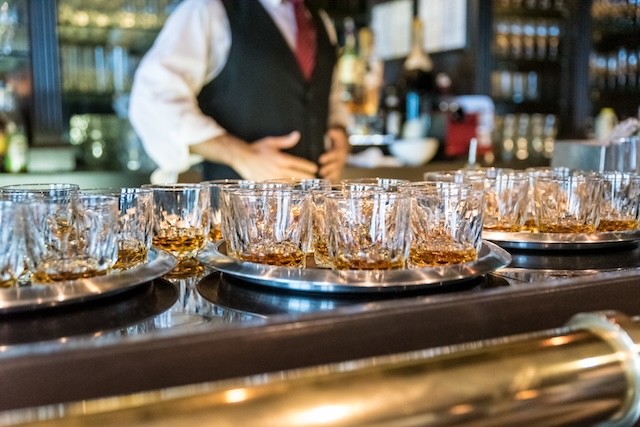
A tab lets a guest order rounds and food through the night, then pay once at the end. Simple on the surface, but the details matter. Lost cards, unclosed tabs, wrong tips, chargebacks, and walkouts can drain profit.
If you run a bar, you should understand how bar tabs work in a way that speeds service and still protects your money. A good bar tab system fixes everything. It keeps revenue safe and gives bartenders a clean flow from opening tabs to closing them.
In this article, we will cover the types of bar tabs, their benefits, and how they work.
Different Types of Bar Tabs
Not every tab works the same way. Think in terms of how the tab is secured and who carries the risk.
Card-Secured Tabs
This is the most common type. You open a tab with a payment card and charge it at the end. Some bars place a set hold right away, like $50 to $100. Others use rolling holds that increase as the guest spends more. You can set a hard cap in your bar POS system to stop orders once the limit is reached.
In some setups, guests can manage a card tab on their phone. Hotels push charges to a room folio. Event organizers may place one card for the whole group. These versions move quickly on busy nights and reduce the number of unpaid checks.
Cash-Secured Tabs
This type uses a deposit up front. Some guests pay a chunk and draw against it. Some bars track drinks, then settle every so often in cash. Token systems and wristband credits show up at large events and beer gardens. This option lowers chargeback risk and keeps spending grounded. It does bring more counting and a heavier close.
Credit-Based Tabs
It extends trust without a card or cash up front. Think VIP tabs, owner-approved local credit for regulars, private clubs with monthly billing, or a corporate event paid on invoice.
These tabs build strong ties with regulars and partners. They need specific limits, clear records, and owner review.
Choice of tab type changes the shift. Card tabs speed turns and reduce end-of-night work. Cash tabs add more counting but lock down risk early. Credit-based tabs build loyalty but need tight rules and follow-up. Train staff on which tabs are allowed, how to set limits, and who signs off on credit.
Comparing the types of tabs:
Tab type | Speed of service | Risk of loss | Reconciliation load | Guest friction |
Card-secured | High | Low to medium | Low | Low |
Cash-secured | Medium | Low | Medium to high | Medium |
Credit-based | Medium | High | Medium | Low |
How Do Bar Tabs Work?
Managing tabs is simple. You can follow the standard steps: open the tab, add each round to it, keep an eye on balances and activity, then close and settle. Let’s see what each step includes.
Opening a Bar Tab
On busy nights, open tabs with a card. Take the card and the guest's name. If you place a hold, say the amount and that the final charge will match the real total. If you use spend caps, set them in the POS so orders stop at that limit. For cash tabs, take a deposit and record it under the guest's name. For house or VIP tabs, note who approved it, the cap, and any comps. Check ID at open every time.
Training under pressure:
Use a three-step script: card, name, quick consent on hold or cap
Run short drills before shift change so staff can open a tab in under ten seconds
Post cheat sheets at each station with tab types allowed and hold amounts by day
Risk controls:
Check ID while opening the tab, not after the first round
Be clear on holds and caps to avoid disputes later
Set auto-caps by event type and daypart to keep spend inside safe lines
POS setup tips:
Assign tabs to seat, table, or wristband so any bartender can find them fast
Add a short note like hat and glasses at the bar left for standing guests
Use color tags for VIP, industry, or event tabs
Cash handling:
Count deposits out loud, print a receipt, and place cash in a labeled slot or envelope
Record the deposit in the POS with the guest's name and starting balance
Recount at handoff so both bartenders agree on the number
House and VIP tabs:
Create a list of approved names with caps and comp rules
Add the manager's name who approved it in the tab note
Pull a nightly report on open house tabs and review usage and receipts
Adding Orders to the Tab
Every drink or food item must live on the tab, not a slip of paper. Ring mods like extra shots, no ice, or specialty syrups as you go. If you void a drink after a mistake, add a reason in the POS so your records stay clear.
Link food-and-drink combos on the right tab. If service is split between the bar and a server, pick one owner for the tab and add others as contributors. That keeps totals clean and tips routed right.
Managing cross-bartender shifts is common on long nights. If a new bartender takes over, they should pull up active tabs on their screen and review names, seat spots, and balances. This reduces double charges and missing items.
Mods, voids, and fixes:
Enter mods at the time of order, not at close
Use standard void reasons like mispour or guest changed mind to keep audit trails clean
If a correction is needed, void the wrong item, re-ring the right one, and leave a note
Linking food and drink:
Add combo items from the combo button so pricing and taxes apply right
Keep all items for a guest on the same tab to avoid lost tickets in the kitchen
If a server starts food and the guest moves to the bar, transfer the ticket to the POS
Cross-bartender flow:
Before taking over, scan the active tab list and open the top five by balance
Avoid creating a second tab with the same name; search first, then add to the existing tab
Use handoff notes like tab moved to the patio or server Mia added food
Bar and floor communication:
Call out large or unusual orders so the floor knows where they belong
Use expo or runner notes for allergy or no-glass requests
Confirm table numbers on each round for shared sections
Splits and group spend:
Track who is on the group tab with short names or seat labels in the notes
If guests want to pay separately later, tag items with initials as you ring them
For roaming groups, assign a wristband or token so rounds land on the right bill
Monitoring Active Tabs
Use POS alerts for high balances. Set a level where the screen nudges the bartender to check in with the guest. Watch for orders stacked fast on a tab with a high cap and no guest in sight. That can flag theft or misuse.
Walkout prevention starts with card holds or cards on file. Use seat landmarks or ticket numbers for standing guests. If a guest crosses the end time, the new pricing applies to later rounds.
POS alerts and flags:
Set alerts to prompt a quick check-in with the guest
Flag tabs idle for 45 minutes so staff can confirm the guest is still present
Review unusual patterns like back-to-back top shelf orders with no guest nearby
Walkout and theft controls:
Keep cards on file for standing guests during peak hours
Place marked coasters or wristbands for open tabs so staff can spot them fast
Use a last-call sweep to settle tabs for guests leaving the room
Time-based tabs:
Add happy hour start and end times in the tab note
Train staff to announce last call for promo pricing five minutes before it ends
Use POS rules so item prices switch over time without manual changes
Large group monitoring:
Assign one lead bartender for the master tab and one runner to verify guests
Split large groups by zone or table to reduce crowding at a single station
Run a mid-event check on balances and confirm caps with the organizer
Guest visibility and updates:
Place printed mini statements on the bar for longer stays on request
Offer a quick balance callout every two or three rounds
Keep eye contact and a short confirmation for each add-on to cut disputes
Closing the Tab
At close, pull up the tab total in the POS and call out the amount to the guest. If a mistake shows up, fix it before posting the final charge. That includes wrong items, missing voids, or tax errors.
For cards, present the final total and tip entry in clear order. If a guest wants to split, use split by item or by amount. Once settled, mark the tab closed so it drops from the active list.
Reconcile with reports:
Match the open tab list to closed tabs before batching cards
Count cash against cash tabs and deposits, then log over or short
Save a PDF or print of the daily summary and attach the deposit slips
Totals, tips, and splits:
State the total out loud, pause, then present the tip screen or slip
Offer split by item or amount, and confirm who pays which part before running cards
Reprint final receipts with item detail for groups to avoid back-and-forth
Disputes and abandoned tabs:
If an item is wrong, void and re-ring before closing the charge
For abandoned tabs with a card on file, post the known total and save all notes
For cash deposits left behind, store them in a labeled envelope with the tab printout
Documentation to prevent chargebacks:
Keep signed slips, itemized receipts, and void notes for 18 to 24 months
Record ID check for high spend or flagged tabs
Add a short note on any comp or price change with staff initials
Mark tabs as closed:
Close tabs in the POS as soon as payment posts
Clear stale holds and unclosed tickets before leaving the station
Managers run a final sweep so the next shift starts with a clean screen
Run the POS end-of-day report to match card batches, cash deposits, and settled tabs. Track unclosed tabs and fix them before you leave. A clean close means fewer chargebacks, fewer guest complaints, and a smoother open tomorrow.
Benefits of Bar Tabs for Staff and Customers
Here’s a quick breakdown of why tabs help both sides:
Benefits for Guests:
Faster ordering with fewer payment steps.
No card swipes or digging for a wallet every round.
Shorter lines and less waiting.
Easy split at the end.
Real-time spend visibility with digital tabs.
A more polished, hosted feel to the visit.
Benefits for Staff:
Higher average checks as guests stay longer and keep ordering.
More chances to suggest a top-shelf pour, a side, or a food add-on.
Faster flow during peak hours, since payments are processed at the end.
All items are tied to one record for cleaner tracking.
Faster table turns and stronger margins without burning out the team.
Common Challenges with Manual Tab Management
No one plans to make mistakes. The system causes them. People make mistakes, especially during peak hours.
Paper tabs get lost in the rush. A coaster with a name and a few tick marks can slip under a mat or get wet. That leads to missing charges and short tills.
When two guests share a name, orders get mixed up, or when a bartender rings a drink to the wrong note. If cards are not checked or if staff forget to collect deposits, walkouts become more common.
Besides, miscommunication between bartenders can lead to double orders or gaps in the final bill. End-of-night drags on while managers try to match scribbles with register totals.
How to Manage Bar Tabs with a POS System
A solid bar tab system inside your POS changes the flow. For bars using Blogic POS, tabs open with a quick card swipe, every round lands on the same check, and the balance updates live on any station or handheld. Two bartenders can serve the same guest without double-pouring or missing an order because both see the same tab in real time. If the internet drops, service keeps moving, and the tab syncs once you are back online.
Payments are on the same screen you use to ring drinks, so holds and caps are easy to apply, and tips route to the right person or pool. Fixes and refunds keep short notes, which helps managers spot patterns and coach. At close, one report ties card batches, cash, and tabs, so you wrap up with less back-and-forth.
The outcomes are simple. Fewer mistakes tied to names and orders. Clearer revenue tracking by tab, by bartender, and by time slot. Better guest experience from start to finish.
Summing Up
Bar tabs affect more than speed at the bar. They shape revenue, guest trust, and the way your team handles a rush. Manual notes and loose habits lead to lost sales and long closes.
A clear bar tab system with smart POS steps brings order to busy nights. Review how you open, add, monitor, and close. Tighten policies. Pick the tab types that fit your room. Small changes add up to smoother shifts and fewer surprises.
Want to see it working end to end? Request a short Blogic POS demo to see how it works.

Erick Tu
Author
Related Articles

Jul 30, 2026
How to Choose the Right POS System for Your Bar (2026 Guide)

Jul 28, 2026
Happy Hour Ideas Worth Running at Your Bar

Jul 27, 2026
Bar Equipment Checklist for Opening or Restocking a Bar

Jul 23, 2026
How to Attract More Customers to Your Bar?
